Breaking News
Loading...

Recent Post

Sunday, 22 July 2012
no image

Apple to Hold iPhone 5 Keynote on August 7


iPhone 5 - Black - BezelApple will supposedly hold a keynote on August 7 to announce the iPhone 5.

iPhone 5


According to a “reliable industry source” speaking with KnowYourMobile, the Cupertino company is preparing to unleash its next big mobile device a bit earlier than anticipated — at least earlier than last year’s October 4 date — in order to suppress interest in Samsung’s Galaxy S III.

If an early August announcement is on the cards, we could possibly see a release later that month or the first week of September. While the earlier than expected reveal would once again throw Apple’s iPhone schedule out of whack, those who purchased an iPhone 4 in June 2010 (or thereabouts) with two-year contracts will already be up for renewal, which adds even more credence to the whole “stifling the Galaxy S III” argument.


At present there are no further details about specs, design or availability. Current rumours suggest Apple’s next flagship smartphone will feature an aluminium two-tone back panel and a larger 4-inch Retina display, as well as an NFC chip and a next-gen processor setup.

Apple is expected to offer a significantly different visual design from its previous models - the iPhone 4S was externally identical to the iPhone 4. There are plenty of rumours suggesting a range of aesthetic possibilities from unibody designs to curved ‘teardrop’ profiles.


The iPhone 5 will also be the debut device for the next version of Apple’s iOS operating system, iOS 6, which is expected to introduce a wealth of new changes in order to challenge its recently unveiled rivals: Microsoft’s Windows Phone 8 and Google’s Android 4.1 Jelly Bean.

Of course, until Apple CEO Tim Cook is up on that stage with a new iPhone in hand, there’s just no way of knowing the company’s plans, no matter how many cases leak or engineering models show up How will iPhone 5 Look Like..


[via KnowYourMobile]
How will iPhone 5 Look Like

How will iPhone 5 Look Like

There's a lot of 'information' out there on what the new iPhone 5 will look like - be it larger screens, coloured backs or a whole glut of new technology tagged on the back.

However, while there's (unsurprisingly) nothing in the way of a genuine leak from Apple when it comes to the iPhone 5, there's a wealth of content from fans trying to guess/hint what the new iPhone will look like.

Here's a gallery of images show the most likely design of the iPhone 5 (or just things that would clearly never happen, but come on... it's cool).
▬▬▬▬▬▬▬▬▬▬▬▬▬▬▬▬▬▬▬▬▬▬▬▬▬▬▬▬▬▬▬▬▬▬▬▬


iPhone 5 
                iPhone 5 - white! 
                iPhone 5 - white!
Credit: Martin Utrecht (Flickr)

This is the pick of the bunch - a very impressive render based on all the iPhone 5 rumours collated so far. The two tone back and sleek design from Martin Utrecht are so on message that a number of sites were fooled into thinking this was THE new iPhone. It's not though. Don't get excited.
▬▬▬▬▬▬▬▬▬▬▬▬▬▬▬▬▬▬▬▬▬▬▬▬▬▬▬▬▬▬▬▬▬▬▬▬
iPhone 5 

Credit: Ciccarese Design

We're fans of this design not because it's likely to happen, but more because it will appeal to the Apple fanboys of the world. It's basically the unholy fusion of a Magic Mouse and an iPhone (with more than a nod to the much-fabled iPhone HD) from Ciccarese Design.
Although if it did double as a mouse, you'd have to pray that's going to be the next generation of Gorilla Glass protecting the screen.
▬▬▬▬▬▬▬▬▬▬▬▬▬▬▬▬▬▬▬▬▬▬▬▬▬▬▬▬▬▬▬▬▬▬▬▬
      iPhone 5 

iphone 5G 1
iphone 5G 4
Credit: NAK Phone Design

This is the most 'normal' of all the renders we've chosen here, and for that very reason we're happy to state that if Apple goes in a new direction with the iPhone 5 design, this could very well be close to the mark with a more rounded-yet-industrial design.
However, it does look a bit like a Sony Ericsson Satio, which is a BAD THING. Although we do like the smorgasbord of colours here from NAK.
▬▬▬▬▬▬▬▬▬▬▬▬▬▬▬▬▬▬▬▬▬▬▬▬▬▬▬▬▬▬▬▬▬▬▬▬
iPhone 5Credit: tob!s

What's this?A phone with a smart cover? That makes a lot of sense. The rest of the concept is a little on the bland side (although you should check out the full range over on Concept-Phones) with a more angular design, but we love this cover notion.
▬▬▬▬▬▬▬▬▬▬▬▬▬▬▬▬▬▬▬▬▬▬▬▬▬▬▬▬▬▬▬▬▬▬▬▬
   iPhone 5 

         The New iPhone From ADR Studio... Oh My God!
          The New iPhone From ADR Studio... Oh My God!
Credit: ADR Studios

Love this concept for one reason: the idea of incorporating the home button into a dock at the bottom of the screen. Would it work in practice? Probably not, as it would only be relevant for the home screen and engineering that into an LCD panel would be a pain in the posterior.
But in concept land here - there are no limitations, so kudos to ADR Studios for a decent range of ideas on the next iPhone.
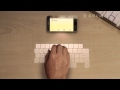
And to that end, here's the ultimate in concepts for the iPhone - a video from Aatma that comes up with the idea of projecting a keyboard from the iPhone using a laser.
▬▬▬▬▬▬▬▬▬▬▬▬▬▬▬▬▬▬▬▬▬▬▬▬▬▬▬▬▬▬▬▬▬▬▬▬
Make. This. Happen.!!
▬▬▬▬▬▬▬▬▬▬▬▬▬▬▬▬▬▬▬▬▬▬▬▬▬▬▬▬▬▬▬▬▬▬▬▬
iPhone 5 concept features Video:

no image

Install Paid Android Applications For Free

Android Apps For Free4
Android, developed by Google is the most widely used mobile operating system that has more then 450,000 application. But all the applications are not free, some of them cost less and some cost quite a lot. Buying all of your favorite apps is not economically feasible. And hence we found two great apps which will let you download and install paid android apps absolutely free. The two apps are Applanet and BlackMart. You just need to install any or both of these applications to enjoy unlimited android apps and games for free.


Enable Your Device To Install From Unknown Sources :

allow installation from unknown sources Android1If you have not enabled installation of applications from unknown sources on your Android device before, then read on. Otherwise skip this.
An Android device is set to block installation of applications from unknown sources. Unknown source here typically means any source other than Google Play (Android Market). So in a situation where you need to install an application by transferring it from any other device like your computer, you need to unblock it. This can be done easily. Just follow these steps below.
  1. Click the “Menu” button on your home screen.
  2. Go to “Settings”.
  3. Now go to “applications” tab.
  4. Now tick the “Unknown sources” option.
That’s it. Now you can install any application from outside the Google Market also.


Guide To Installing & Using Applanet :


Applanet2Installing applanet is not at all hard. Just download the Applanet app. 
Transfer it to you phone or tablet or any other Android device through data cable or Bluetooth or any other supported transfer medium. Now enable installation from unknown sources and install the app on your device.After installation just run the app from the menu. You will see a screen as shown on the right side. The interface is quite similar to the Google Play Store or the Android Market. On the top right you will have a search option, that allows you to search for any application, game or any stuff within the Applanet database. Till date Applanet has 15000+ apps in its database. You have to pay absolutely nothing for any full version paid app you download. Below the search button you will have three buttons, one for Applications which allows you to browse applications, second one for Games and the third for keeping an eye on your downloads. The games are also categorized on the basis of their genre and you can browse through them according to your own interest.

So download Applanet app from HERE
and Enjoy downloading of paid apps for free on your Android device.


Guide To Installing & Using BlackMart :

BlackMart2
The installation of BlackMart is exactly similar to Applanet. You have to first download the app from HERE. 

Now allow installation from unknown sources, then transfer the downloaded file to you Android device. After transferring the file, navigate to the file and install it. Now open the BlackMart application. You will see a screen as shown on the right side. The application interface is also similar to that of Google Play and Applanet. Applications and Games are arranged in different sections. The installed section shows the applications currently installed on your device and also if an update is available for any of your installed application. The only difference between the Applanet and BlackMart is when you download an application with Applanet, it automatically installs in your device, but when you download an application with BlackMart, it shows a notification in the notification tray that the application is downloaded and click here to install it. It requires just one additional click and nothing else. BlackMart also has a very vast database of best android apps and games and you can download any number of android apps for free using BlackMart.


Enjoy.! :)
Quick Message
Press Esc to close
Copyright © 2013 demo All Right Reserved